Businesses often need separate inboxes for customer service, operations, billing, projects, and staff. Search terms such as Gmail PVA accounts for business reflect that need for multiple email identities, but buying transferred consumer accounts is not always the most reliable solution. Ownership, recovery, administration, and platform rules should be considered before building a workflow around any account.
Map the Business Need Before Creating Accounts
Begin with the work the inbox must support. A sales address may need to be monitored by several people; a billing address may require strict access controls and retention; an employee inbox should have one accountable user and a defined offboarding process. These needs are not identical. Write down the expected message volume, who needs access, whether a shared history is important, and how the address will be maintained when staff change. This inventory prevents unnecessary accounts and helps you choose the right architecture. It also makes it easier to estimate cost and risk. In some cases, one managed mailbox with labels and filters is enough. In others, a shared inbox, group address, or individual business account is more suitable. Start with requirements, not with the number of accounts a seller advertises.
Consider Managed Business Email
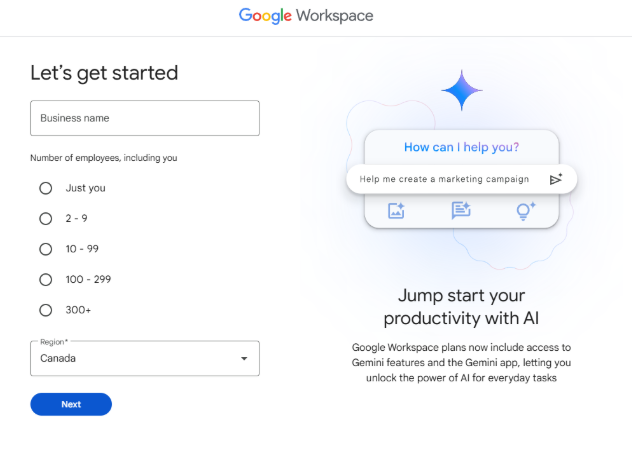
For organizations that need ongoing control, Google Workspace or another managed business email service may be worth comparing. A business plan can support custom-domain addresses, administrator-managed users, and clearer control when employees join or leave. It also allows a company to establish consistent security and recovery practices. The exact features depend on the current plan and configuration, so check the provider’s official documentation and pricing before deciding. A managed service may cost more than a one-time account listing, but it can reduce administrative uncertainty and make ownership easier to demonstrate. For customer-facing addresses, a domain-based email can also help the business maintain continuity if a specific employee changes roles. Compare total cost over time rather than only the initial purchase price. If you compare listings for Gmail PVA accounts, review the stated terms and recovery arrangements before deciding.
Use Aliases, Groups, and Shared Access Carefully
Not every role needs a separate personal inbox. Aliases can route messages to an existing mailbox, while group addresses can help a team receive and manage communications. Delegation features may allow an authorized person to handle email without sharing the account password. These options can simplify administration and reduce the number of credentials that must be protected. Choose the method that matches the sensitivity of the messages and the required auditability. For example, customer support may benefit from a shared inbox with assignment and history, while an individual employee should usually have a named account with access based on their role. Review the available controls in the official service documentation, and test the workflow before relying on it for critical communications.
Set Baseline Security and Recovery Controls
Every business email system should have clear rules for password management, multi-factor authentication where available, recovery methods, device access, and connected applications. Use unique credentials and an approved password manager. Limit access to people who need it, and remove access promptly when responsibilities change. Review security alerts and connected apps on a regular schedule. Establish who can recover an account and what to do if a device is lost. Avoid keeping passwords, app passwords, or recovery codes in ordinary shared documents. Train staff to recognize phishing messages and suspicious login prompts. A short written policy can make these responsibilities consistent across the company. Security is most effective when it is built into the workflow rather than left to individual memory.
Understand the Limitations of Third-Party Accounts
A consumer email account obtained from a third party may have unclear recovery control or a history that your organization cannot independently verify. Account transfers may also conflict with platform terms or trigger additional checks. If access is lost, the business could lose messages, customer relationships, or records. A seller’s replacement policy may not restore the history or continuity you need. Do not use purchased accounts for impersonation, unsolicited bulk messaging, fake engagement, or bypassing another service’s restrictions. If you are considering any third-party account service, check the current terms, understand the risks, and avoid placing business-critical data in an account you cannot securely control. For long-term operations, managed accounts generally make ownership and staff changes easier to handle.
Build an Email System That Can Grow
A scalable email system includes more than account creation. Maintain an inventory of addresses, their business purpose, the responsible owner, who has access, and how recovery is managed. Document onboarding and offboarding procedures. Keep critical records in approved business systems, and define retention and backup requirements according to your organization’s needs. Review access quarterly or after major staff changes. As the team grows, consider a custom domain, managed identities, shared inbox tools, and a central administrator. These practices reduce confusion and make the system easier to audit. The right choice balances cost, convenience, security, and control. Rather than relying on a collection of accounts with uncertain ownership, build an email workflow that your business can manage consistently and maintain over time.
Assign each address a clear business purpose and an accountable owner. A simple inventory can include the address, department, approved users, business reason, recovery owner, connected applications, and date of the last access review. Keep that inventory in an access-controlled system and never include actual passwords or app passwords. When an employee changes roles or leaves, follow a documented process to remove access, preserve required records, and redirect customer communications where appropriate. This prevents old accounts from remaining active without a clear owner.
Build continuity into the workflow. Use official administrative controls where available, keep critical customer records in the business systems designed to hold them, and define who responds to security alerts. For customer-facing addresses, provide a backup route such as a website contact form or another monitored channel. Test the recovery process before an emergency occurs. These steps help the company continue operating if a device is lost, a user leaves, or an email provider requires additional verification.
Review the arrangement periodically. A system that works for two people may become confusing when the team grows, especially if several people share passwords or if no one knows who owns an inbox. Review permissions after team changes, remove unused application access, and confirm that the chosen service still fits current business requirements. Compare the full cost of administration, support, recovery, and downtime—not only the upfront cost of an account. A well-managed email system should remain understandable to the next person responsible for it.
Document the reason for every address and review whether it is still needed. Close or retire unused accounts through the appropriate official process, remove obsolete third-party access, and update your inventory when responsibilities change. These small maintenance steps help keep email manageable as the business expands.
Make the email system part of the company’s regular security review. Confirm that each inbox has a current owner, access is limited to the right people, recovery steps are known, and obsolete integrations have been removed. A repeatable review is more useful than a one-time setup because staff, software, and business needs change over time. A documented process also makes onboarding easier, since new staff can understand which address to use, where to request access, and how to report a suspicious sign-in.