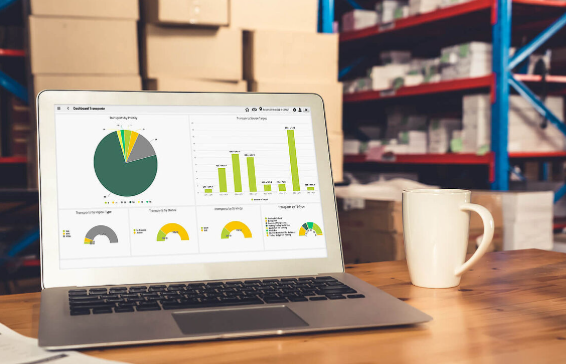
A warehouse manager should be able to answer three questions before the first shift ends: are orders going out right, on time, and at a sustainable cost? I work on real-time systems as a MERN engineer at Acquaint Softtech, a software product development partner, and most warehouse dashboards I am asked to fix can answer none of them without an export to Excel.
A WMS reporting dashboard closes that gap. It turns scans, picks, and shipments already sitting in your warehouse management system into a short list of KPIs, each with a clear formula, owner, and target.
This guide draws on dashboards delivered by Acquaint Softtech’s 70+ in-house engineers for clients across the USA, UK, Europe, and Australia.
What a WMS reporting dashboard is
A WMS reporting dashboard is a live view of warehouse performance built from WMS transaction data, showing KPIs (key performance indicators, the few measures that track progress toward a goal).
Who needs which view?
Supervisors need the current shift: backlog, pick rate, and exceptions. Warehouse managers need daily and weekly trends, and executives need cost and service levels across sites. One data model can serve all three, but each role should see its own screen, not one crowded page.
The core warehouse KPIs and their formulas
Eight KPIs cover most warehouses: order accuracy, on-time shipment, order cycle time, dock-to-stock time, inventory accuracy, units per labor hour, storage utilization, and cost per order. Write each formula down before it goes on screen.
| KPI | Formula | What it tells you |
| Order accuracy rate | Error-free orders / total orders | Customer-facing quality |
| On-time shipment | Orders shipped by cutoff / total orders | Service level |
| Order cycle time | Ship time minus order release time | Speed through the building |
| Dock-to-stock time | Putaway complete minus receipt time | Inbound speed |
| Inventory accuracy | Matching counted locations/locations counted | Trust in system stock |
| Units per labor hour | Units picked / direct labor hours | Productivity |
| Storage utilization | Occupied locations / total locations | Remaining capacity |
| Cost per order | Total warehouse cost/orders shipped | Efficiency |
Inbound and inventory KPIs
Inbound KPIs show whether stock becomes sellable quickly, and inventory KPIs show whether the system can be trusted. When inventory accuracy drops, every other number on the dashboard becomes suspect.
What is dock-to-stock time?
Dock-to-stock time is the time between a delivery being received at the dock and its stock being put away and available to sell. Measure it from WMS receipt and putaway scan timestamps, never from manual logs. Report the median so a few stuck pallets do not hide the trend.
Order accuracy rate
Order accuracy rate is the percentage of orders shipped with the right items, in the right quantity, to the right address, without damage. Every error becomes a return, a reshipment, or a complaint.
How do you measure order accuracy?
Divide error-free orders by total orders shipped over the same period. Errors come from two sources: pack-station verification scans and post-delivery claims, so the dashboard should join both. Tagging each error with a cause, such as wrong item or short pick, turns a single percentage into something a supervisor can act on.
Productivity and labor KPIs
Units per labor hour measures output per hour of direct work, and it is the standard way to compare shifts, zones, and sites. It should always be read alongside accuracy, because a team that picks faster while making more errors is not improving.
Why does units per hour need context?
Split productivity by order profile or task type, such as each pick, case pick, and replenishment, so the comparison between teams stays fair.
Cost and capacity KPIs
Cost per order divides total warehouse operating cost by orders shipped, giving leadership one number to track efficiency over time. Storage utilization shows how full the building is and warns you before space becomes the constraint.
When does utilization become a problem?
A warehouse that runs close to full slows down because putaway takes longer and pickers travel around overflow. Set a threshold for your own operation and alert on it, rather than discovering the limit during peak season.
Building a real-time warehouse dashboard
A real-time warehouse dashboard is built on events, not reports: every scan, pick, and shipment is published as a timestamped event, aggregated into KPIs, and pushed to screens as it changes. Overnight batch reports cannot show a backlog forming mid-morning.
What does the build look like?
The WMS emits events to a queue, a service rolls them into per-minute KPI tables, and the frontend receives updates over WebSockets. Node.js suits this streaming layer and React suits live, role-based screens, which is why teams that hire MERN stack developers can ship the pipeline and the interface on one codebase. Keep the raw event log, so KPIs can be recalculated when a formula changes.
Visualizing warehouse performance
The right chart depends on the question: trends need lines, comparisons need bars, and status needs a single number with a target.
| Question | Best visual | Example |
| Are we on target now? | Single number with target | Orders shipped today |
| Is it getting better? | Line chart over time | Weekly order accuracy |
| Which area is lagging? | Ranked bar chart | Units per hour by zone |
| Where is work stuck? | Status table with ages | Orders past cutoff |
Custom dashboard or BI tool
Use a BI tool when your KPIs are daily or weekly and your data is already clean; build custom when you need second-by-second updates, screens on the warehouse floor, or dashboards embedded in your own product.
How do you choose?
Start with management reporting in a BI tool, and build custom only for the live, floor-level views it cannot serve. Teams that hire Power BI developers can stand up the management layer quickly on the same KPI definitions the live dashboard uses.
What it costs to build
The cost of a WMS reporting dashboard depends on how many KPIs, roles, and sites you cover, and whether updates are real time. A focused first version with the KPIs leaders check daily is far cheaper than a full multi-site analytics suite.
| Scope | What you get | Typical range (USD) |
| Focused dashboard | 5 to 8 KPIs, one site, daily refresh | 10,000 to 25,000 |
| Real-time suite | Live events, role views, multi-site | 25,000 to 60,000 |
How do you phase the build?
Ship order accuracy, on-time shipment, and inventory accuracy first, then add labor and cost KPIs once the event data is proven. This staged approach runs at up to forty percent cost savings versus Western agencies, at blended rates of roughly twenty-five to forty-nine US dollars per hour.
Proof: multi-site dashboards we shipped
Acquaint Softtech built analytics and dashboards for Bianalisi, Italy’s largest integrated diagnostics group. The account below is drawn from the client’s verified 5.0 out of 5 Clutch review.
| Challenge | Solution | Result |
| Trend analysis needed manual extraction from regional systems | Centralized data ingestion and analytics engine | Analysis consolidated in one place |
| Leaders lacked a cross-regional view | Executive and supervisor dashboards | Less time preparing cross-regional reports |
| Issues surfaced only in monthly audits | Pattern detection within each reporting cycle | Faster escalation for review |
The industry differs, but the pattern is the same one a multi-warehouse operation needs: one trusted data layer, role-based dashboards on top, and issues caught during the cycle rather than after it.
See also: The Role of Cloud in Data-Driven Businesses
Short FAQs
What KPIs should a warehouse track?
Start with order accuracy, on-time shipment, order cycle time, dock-to-stock time, inventory accuracy, units per labor hour, storage utilization, and cost per order. Together they cover quality, speed, trust in stock, productivity, and cost.
What is order accuracy rate?
It is the share of orders shipped with the right items, quantities, and address, without damage. Calculate it as error-free orders divided by total orders shipped.
How do you build a real-time warehouse dashboard?
Publish every WMS scan as an event, aggregate events into KPI tables every minute, and push updates to the screen over WebSockets. Keep the raw event log so KPIs can be recalculated.
How do you visualize warehouse performance?
Use single numbers with targets for status, line charts for trends, ranked bars for comparisons, and aged tables for stuck work. Avoid gauges and 3D charts.
How many KPIs should a warehouse dashboard show?
Keep each screen to about five to eight KPIs for its audience. More than that dilutes attention, so put detail in drill-down views.
How much does a WMS dashboard cost to build?
A focused single-site dashboard typically falls between 10,000 and 25,000 US dollars. A real-time, multi-site suite with role views usually runs 25,000 to 60,000 US dollars.